

Creating immersive 3D virtual exhibitions presents unique challenges for artists, curators, and gallery managers who lack extensive technical expertise. The complexity of coordinating digital assets, managing interdisciplinary teams, and ensuring accessible user experiences can feel overwhelming. This guide provides a tested workflow that bridges artistic vision with practical execution, enabling you to design engaging virtual exhibitions without technical barriers. By following a structured approach from preparation through launch, you'll transform ambitious concepts into accessible digital experiences that captivate global audiences.
Table of Contents
- Key Takeaways
- Understanding the prerequisites for virtual exhibition success
- Step-by-step execution of a virtual exhibition workflow
- Avoiding common pitfalls and optimising workflow efficiency
- Measuring success and maximising audience engagement
- Explore expert 3D virtual exhibition solutions with curate.tours
- Frequently asked questions about virtual exhibition workflow
Key Takeaways
| Point | Details |
|---|---|
| Early interdisciplinary team | Assemble the core team early including a curator, an artist or collection owner, a technologist and a designer to balance narrative with feasibility. |
| Asset management efficiency | Prepare digital assets with a shared naming convention and placeholders to keep development moving while assets are finalised. |
| Pragmatic platform selection | Evaluate platforms by technical barrier to entry, customisation options and accessibility to ensure access across devices. |
| Clear goals and mission | Write a concise one paragraph mission statement to guide design decisions and priorities. |
| Iterative MVP workflow | Follow an iterative MVP workflow that prioritises either form or content to maintain momentum and minimise rework. |
Understanding the prerequisites for virtual exhibition success
Successful virtual exhibitions begin long before you touch any software. Your foundation determines whether the project flows smoothly or becomes mired in technical confusion and misaligned expectations.
Start by assembling your core team early. You need a curator to shape the narrative, an artist or collection owner providing content, a technologist who understands platform capabilities, and a designer focused on visitor experience. These roles might overlap in smaller projects, but each perspective must be represented. Interdisciplinary collaboration methods ensure everyone contributes their expertise from day one, preventing costly revisions later.
Digital asset preparation requires strategic thinking. Catalogue every artwork, photograph, video, or text element you plan to include. Create a spreadsheet tracking file formats, resolutions, and licensing status. Don't wait for perfect assets before starting development. Use placeholders for items still in production, allowing parallel workflows that keep momentum strong.
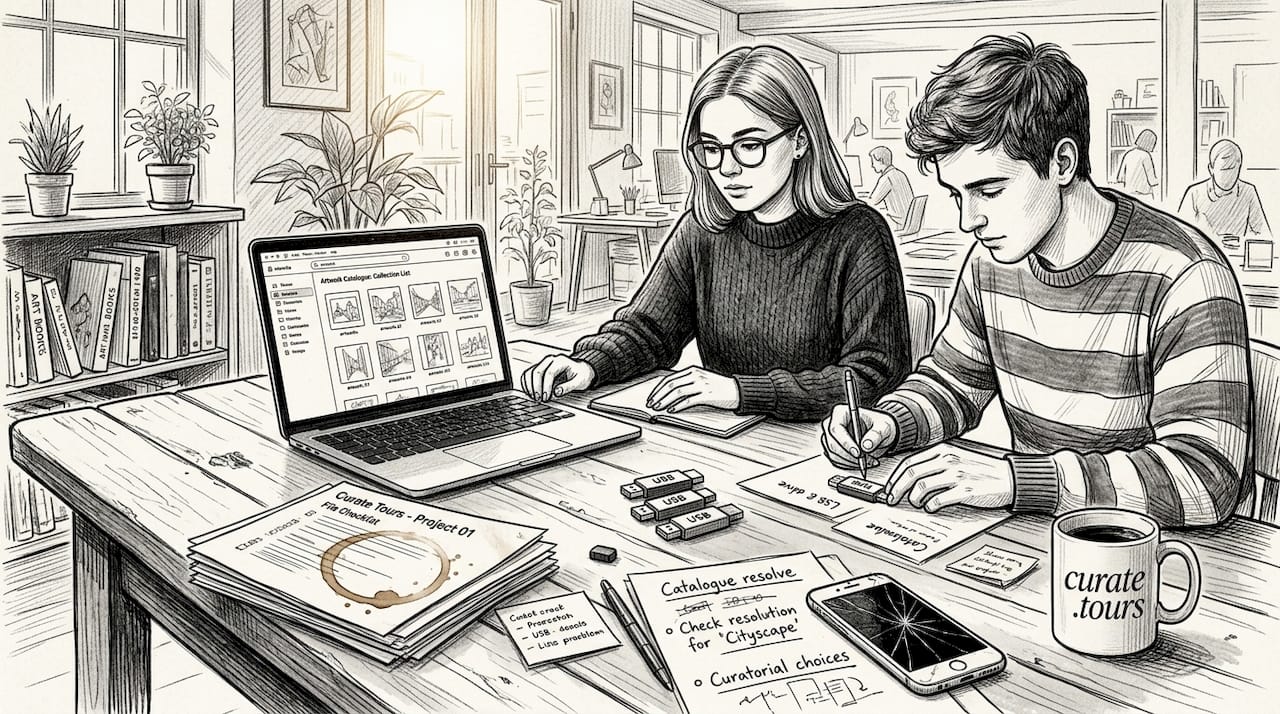
Pro Tip: Establish a shared cloud folder with clear naming conventions before collecting any assets. Use descriptive filenames like "artist_surname_artwork_title_2026.jpg" rather than generic labels. This simple step prevents confusion as your asset library grows.
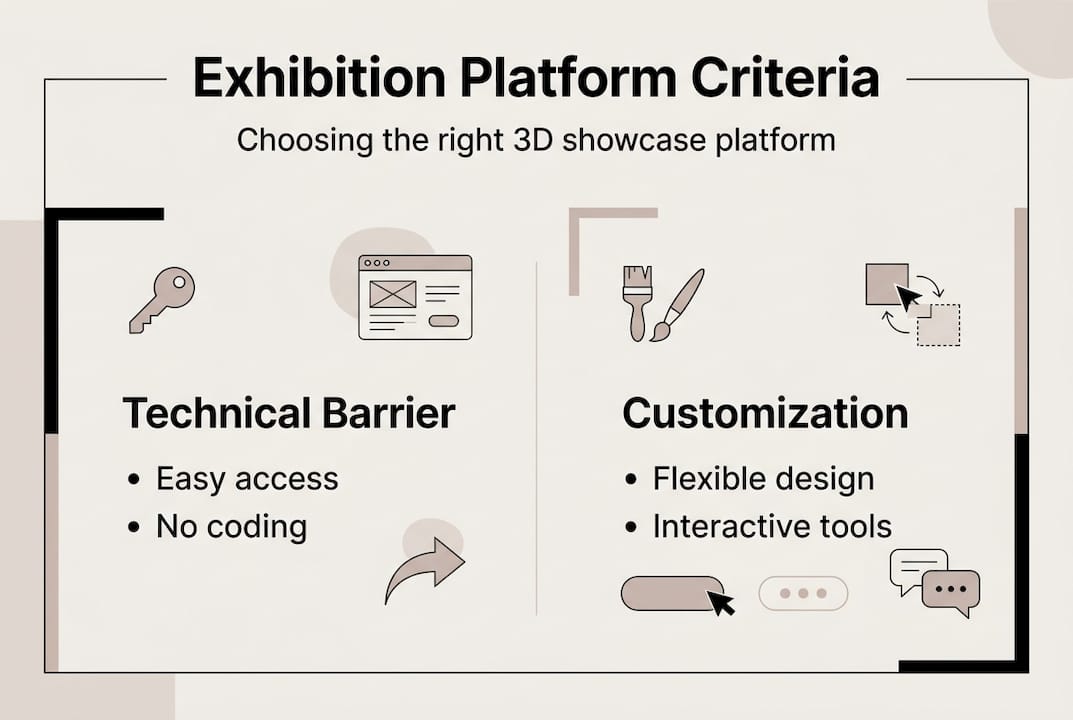
Platform selection shapes your entire project. Evaluate options based on three criteria: technical barrier to entry, customisation flexibility, and visitor accessibility. Web-based platforms eliminate software installation requirements, making exhibitions instantly accessible across devices. Consider whether you need features like spatial audio, interactive hotspots, or analytics tracking.
| Platform consideration | Questions to ask |
|---|---|
| Technical requirements | Can non-coders build and modify the exhibition? |
| Device compatibility | Does it work on mobile, tablet, and desktop seamlessly? |
| Customisation scope | Can you control layout, lighting, and navigation? |
| Analytics capability | Will you track visitor behaviour and engagement? |
| Budget constraints | Are costs predictable and scalable? |
Define your exhibition goals with precision. Are you prioritising education, sales, brand awareness, or artistic experimentation? Each objective influences design decisions. An educational exhibition might emphasise detailed text panels and guided tours, whilst a commercial showcase prioritises visual impact and purchasing pathways. Write a one-paragraph mission statement that articulates your primary intent.
Contextual site selection matters more than many realise. The virtual environment should complement your content thematically. Displaying contemporary digital art in a simulated classical gallery creates cognitive dissonance. Consider abstract spaces, purpose-built environments, or site-specific contexts that enhance rather than distract from your work.
Step-by-step execution of a virtual exhibition workflow
With prerequisites established, you're ready to build. This core workflow for virtual exhibitions involves iterative MVP development, prioritising either form or content based on your project's nature.
-
Develop your minimum viable product. Choose whether to prioritise spatial design or content integration first. If your exhibition concept depends on a specific architectural experience, build the environment structure before adding artworks. If content drives the narrative, place key pieces in a basic space and refine the environment around them. This decision prevents paralysis from trying to perfect everything simultaneously.
-
Integrate assets progressively. Never wait for all assets to arrive before building. Use placeholder images with correct dimensions and aspect ratios. This approach reveals layout issues early whilst allowing artists and photographers to finalise their work. Replace placeholders systematically as final assets become available, maintaining version control to track changes.
-
Establish controlled feedback cycles. Create a Google Form with specific questions about navigation clarity, visual hierarchy, and content comprehension. Limit feedback rounds to three distinct phases: initial concept review, mid-development check, and pre-launch polish. Share the form with 5 to 8 trusted reviewers who represent your target audience. Asynchronous feedback prevents meeting fatigue and gives respondents time to explore thoroughly.
Pro Tip: Include screenshots in your feedback form showing specific areas you're evaluating. Ask targeted questions like "Can you locate the artist statement within 10 seconds?" rather than open-ended queries that generate unfocused responses.
-
Conduct cross-device user testing. Test your exhibition on smartphones, tablets, and desktop computers using different browsers. Pay attention to loading times, navigation intuitiveness, and text readability. Mobile visitors often represent 60% of your audience, so optimise for smaller screens without compromising desktop experiences. Document issues in a shared spreadsheet with priority rankings.
-
Plan your hybrid launch event. Combine physical and virtual elements to maximise reach. Host an in-person opening where attendees can explore the virtual exhibition on provided devices, creating a social experience around digital content. Simultaneously, promote the online launch to global audiences who can participate remotely. This dual approach builds community whilst demonstrating the exhibition's accessibility.
| Workflow phase | Timeline estimate | Key deliverable |
|---|---|---|
| MVP development | 2 to 3 weeks | Functional space with core content |
| Asset integration | 3 to 4 weeks | Complete exhibition with final assets |
| Feedback cycles | 2 weeks total | Refined user experience |
| Device testing | 1 week | Compatibility verification |
| Launch preparation | 1 to 2 weeks | Marketing materials and event coordination |
Maintain a project timeline that accommodates creative exploration without endless revision. Set firm deadlines for each phase, building in buffer time for unexpected technical issues. Regular check-ins with your interdisciplinary collaboration methods team keep everyone aligned and prevent scope drift.
Avoiding common pitfalls and optimising workflow efficiency
Even well-planned projects encounter obstacles. Recognising these patterns early helps you maintain momentum and deliver quality results.
Excessive feedback cycles lead to diminishing returns after the third round. Each additional iteration yields smaller improvements whilst consuming disproportionate time and energy. Set clear timelines limiting feedback windows to one week per cycle. Communicate these boundaries upfront so stakeholders understand the schedule.
Scope creep threatens every creative project. An artist suggests adding video interviews. A curator wants interactive timelines. A technologist proposes VR compatibility. Each addition sounds valuable in isolation but collectively derails your timeline and budget. Combat this by maintaining a "future enhancements" list for post-launch updates. Evaluate new ideas against your core mission statement, rejecting anything that doesn't directly serve your primary goals.
Pro Tip: Create a simple decision matrix scoring potential features on three criteria: alignment with mission (1 to 5), implementation difficulty (1 to 5), and visitor impact (1 to 5). Only pursue additions scoring above 12 total points.
Asset management becomes chaotic without systems. Late-arriving photographs, revised artist statements, and updated pricing information create bottlenecks. Use placeholder content with clear labels indicating what's missing. Continue building around gaps rather than halting progress. When final assets arrive, you're simply swapping files rather than restructuring layouts.
Balancing spectacle with substance requires restraint. Flashy transitions, excessive animations, and gimmicky interactions distract from artwork rather than enhancing it. As one exhibition designer notes:
"The technology should feel invisible, directing attention to the art rather than calling attention to itself. Visitors should remember the work, not the interface."
Focus on digital-native exhibition design principles that prioritise content discovery over technological showmanship. Design for active visitor engagement through non-linear navigation that respects different exploration styles. Some visitors want guided tours, others prefer free wandering. Accommodate both approaches.
Archiving considerations matter for digital exhibitions in ways physical shows never face. Live interaction elements like chat features or collaborative annotations create ephemeral experiences that disappear unless deliberately preserved. Decide early whether you'll archive these interactions and how you'll handle visitor privacy. Document your exhibition's evolution through screenshots and screen recordings, creating a digital history that informs future projects.
- Set firm deadlines for each workflow phase with built-in buffers
- Maintain a "future enhancements" list to manage scope creep
- Use placeholders systematically to prevent asset delays
- Prioritise invisible technology that showcases content
- Archive interaction data ethically for institutional memory
Measuring success and maximising audience engagement
Quantifying virtual exhibition impact requires different metrics than physical shows. Attendance numbers tell only part of the story when visitors can explore from anywhere at any time.
Virtual tours increase engagement by 30% compared to static image galleries, whilst augmented reality features raise average dwell time significantly. Track these engagement indicators through platform analytics: total visitors, average session duration, return visitor rate, and interaction hotspots showing which artworks attract sustained attention.
Immersive design elements boost information retention measurably. Visitors remember artwork details and artist narratives more effectively when experiencing them in spatial contexts rather than scrolling through flat galleries. Test this by surveying visitors one week after their visit, asking them to recall specific pieces or themes. Higher retention rates validate your spatial design choices.
| Metric | Benchmark target | What it reveals |
|---|---|---|
| Average session duration | 8 to 12 minutes | Overall engagement quality |
| Interaction rate | 40% of visitors | Content accessibility |
| Return visitor percentage | 15 to 25% | Exhibition memorability |
| Mobile completion rate | 70% minimum | Cross-device optimisation |
| Social sharing frequency | 10% of visitors | Viral potential |
Compare hybrid launch events against fully virtual openings. Hybrid approaches typically generate 3 to 4 times more initial traffic by creating multiple entry points. Physical attendees become ambassadors, sharing their experiences and driving online visits. Track referral sources to understand which channels deliver engaged audiences versus casual browsers.
Augmented reality integration extends exhibition reach beyond your platform. When visitors can place artworks in their own spaces using smartphone AR, they develop personal connections that drive purchasing decisions and word-of-mouth promotion. Monitor AR feature usage rates and correlate them with sales or enquiry increases.
Apply learnings systematically to future projects. After each exhibition, conduct a team retrospective documenting what worked, what didn't, and what you'd change. Maintain a knowledge base capturing technical solutions, design patterns, and audience preferences. This institutional memory accelerates subsequent projects whilst preventing repeated mistakes.
- Track engagement duration and interaction patterns through analytics
- Survey visitors post-visit to measure information retention
- Compare hybrid versus virtual-only launch performance
- Monitor AR feature adoption and its impact on engagement
- Document lessons learned for continuous workflow improvement
Explore expert 3D virtual exhibition solutions with curate.tours
Executing this workflow becomes significantly simpler with purpose-built tools designed for non-technical creatives. Curate.tours provides an intuitive platform where artists, curators, and gallery managers create immersive 3D virtual exhibitions without coding knowledge or specialised software.
The platform supports interdisciplinary teams through collaborative features that align with the workflow outlined above. Built-in analytics track visitor engagement automatically, whilst responsive design ensures your exhibitions display beautifully across all devices. Whether you're planning a hybrid launch or a fully digital showcase, curate.tours simplifies technical execution so you can focus on curatorial vision and artistic impact.
Frequently asked questions about virtual exhibition workflow
What team size and roles are essential for virtual exhibitions?
A minimum viable team includes four perspectives: curatorial vision, artistic content, technical implementation, and visitor experience design. Smaller projects often combine roles, with one person wearing multiple hats. Larger institutions might expand to include marketing specialists, accessibility consultants, and data analysts. The key is ensuring each perspective has representation from project inception.
How can I manage feedback without causing delays?
Limit feedback to three structured rounds with specific questions and firm one-week response windows. Use asynchronous tools like Google Forms rather than meetings, allowing reviewers to explore thoroughly on their own schedule. Focus each round on distinct aspects: first round addresses concept and navigation, second evaluates content integration, third polishes details. Reject feedback outside these windows to maintain momentum.
What strategies maintain visitor engagement in virtual spaces?
Design for active exploration rather than passive viewing by incorporating interactive elements like hotspots revealing additional context, audio guides offering multiple narrative paths, and non-linear navigation supporting different exploration styles. Keep individual content pieces concise, use spatial audio to create atmosphere, and ensure mobile visitors can access all features without frustration. Test engagement by observing first-time users navigating without guidance.
Which platforms suit beginners with limited technical skills?
Web-based platforms requiring no software installation or coding knowledge offer the lowest barriers to entry. Look for drag-and-drop interfaces, pre-built templates you can customise, and responsive customer support. Evaluate platforms by building a small test exhibition before committing to your full project. Prioritise solutions offering analytics, cross-device compatibility, and reasonable pricing that scales with your needs.
How do I effectively combine physical and virtual event elements?
Host your physical opening in a space with reliable internet and provide devices for attendees to explore the virtual exhibition together. Create Instagram-worthy moments that encourage social sharing, driving online traffic. Schedule the virtual launch simultaneously, promoting it to global audiences who can participate remotely. Follow up with attendees by sharing the virtual link, extending engagement beyond the single-night event and building lasting community around your exhibition.